Participants
Participants are individuals who are being trained on a specific subject. Each participant has a name, a unique code, and a category (Youth, Caregiver, Youth Serving Professional).
Facilitators, observers, and admin users have permission to create participants.
To create a single participant:
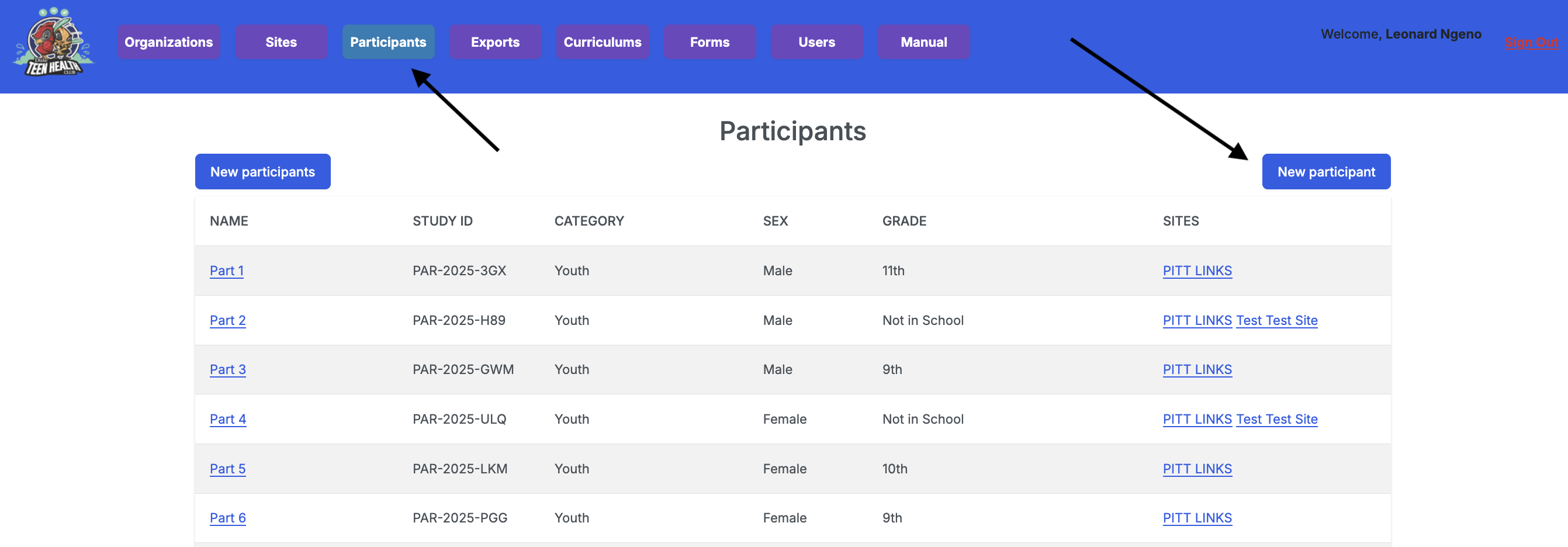
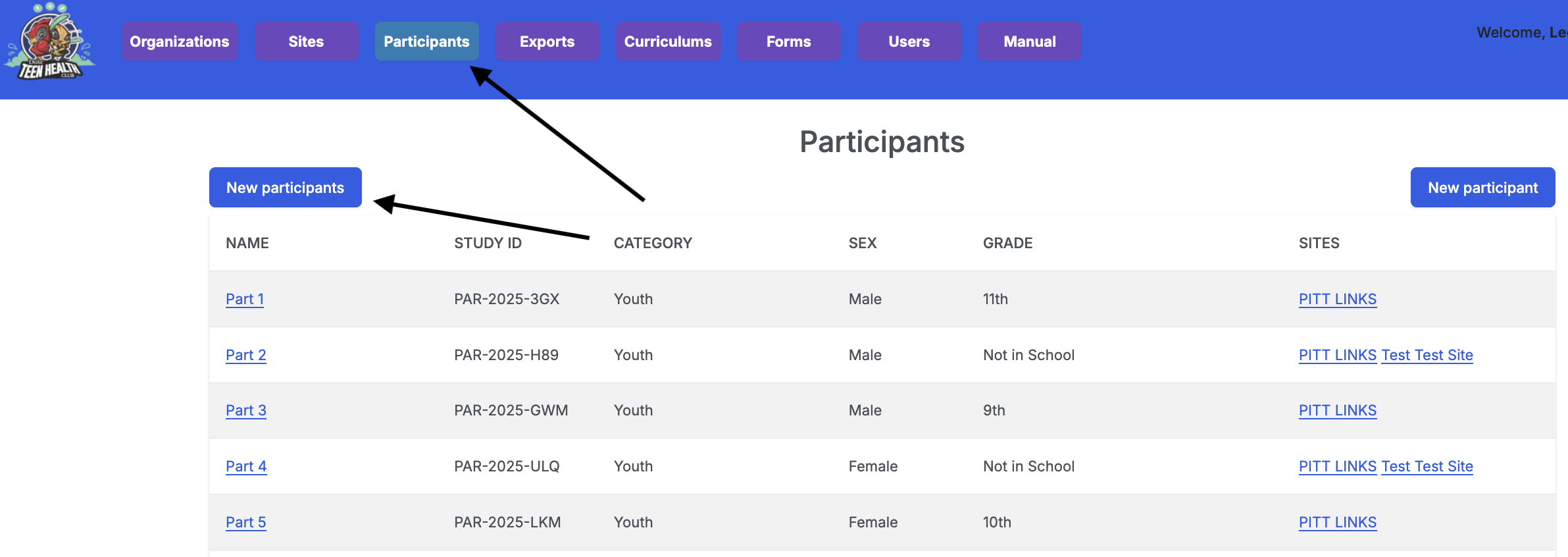
- Navigate to the Participants URL using the navigation tab.
- Click on the Add participant button located on the right.
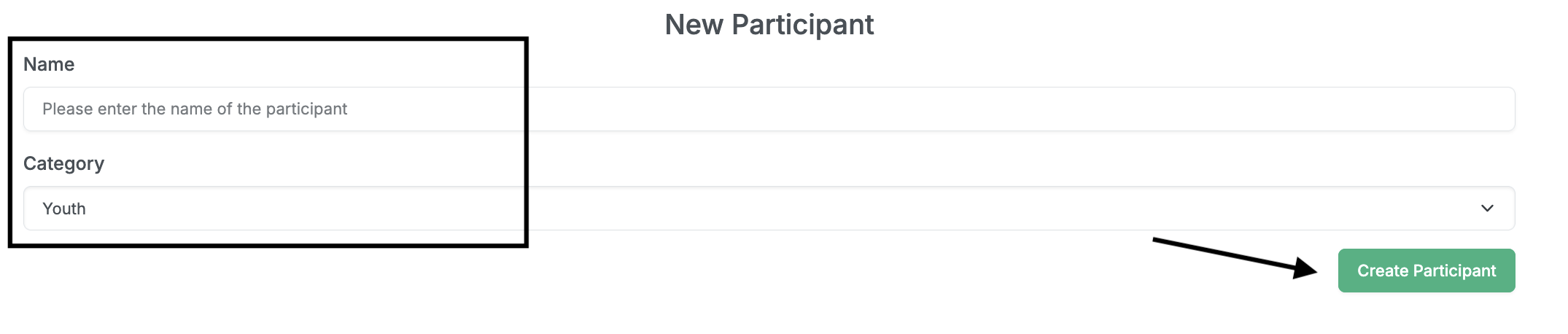
- Provide the participant’s name and category.
- Click the Create Participant button.
To create multiple participants:
- Navigate to the Participants URL using the navigation tab.
- Click on the Add participants button located on the left.
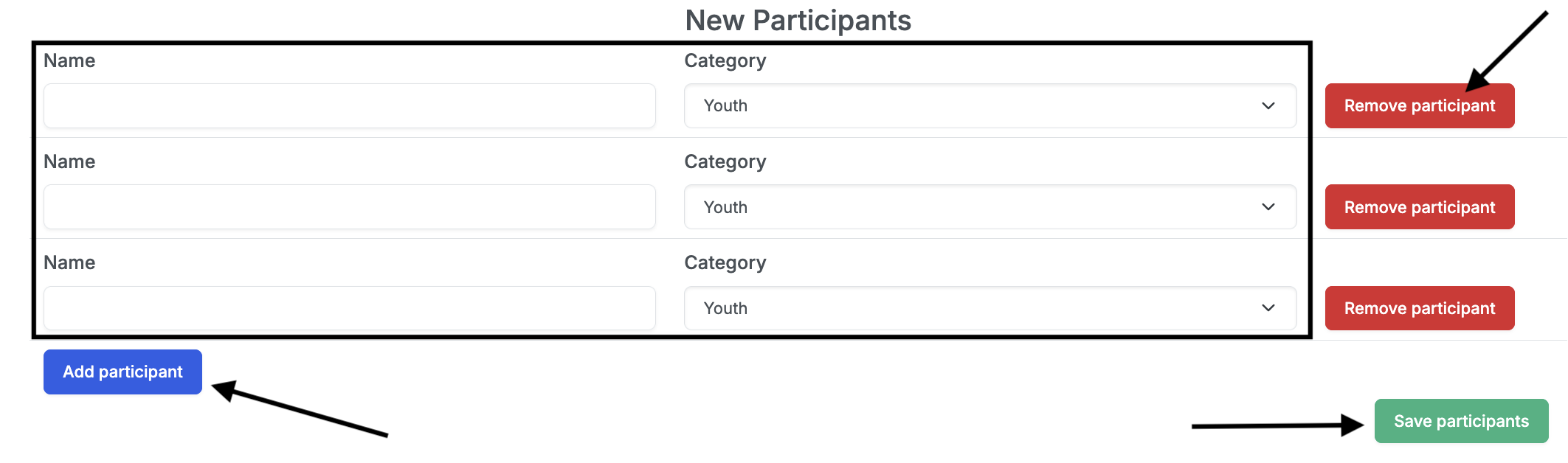
- Click the Add participant button located on the left.
- Provide the participant’s name and category.
- Repeat steps 3 and 4 for each participant. Use the Remove participant button to remove any participant.
- Click the Save participants button.
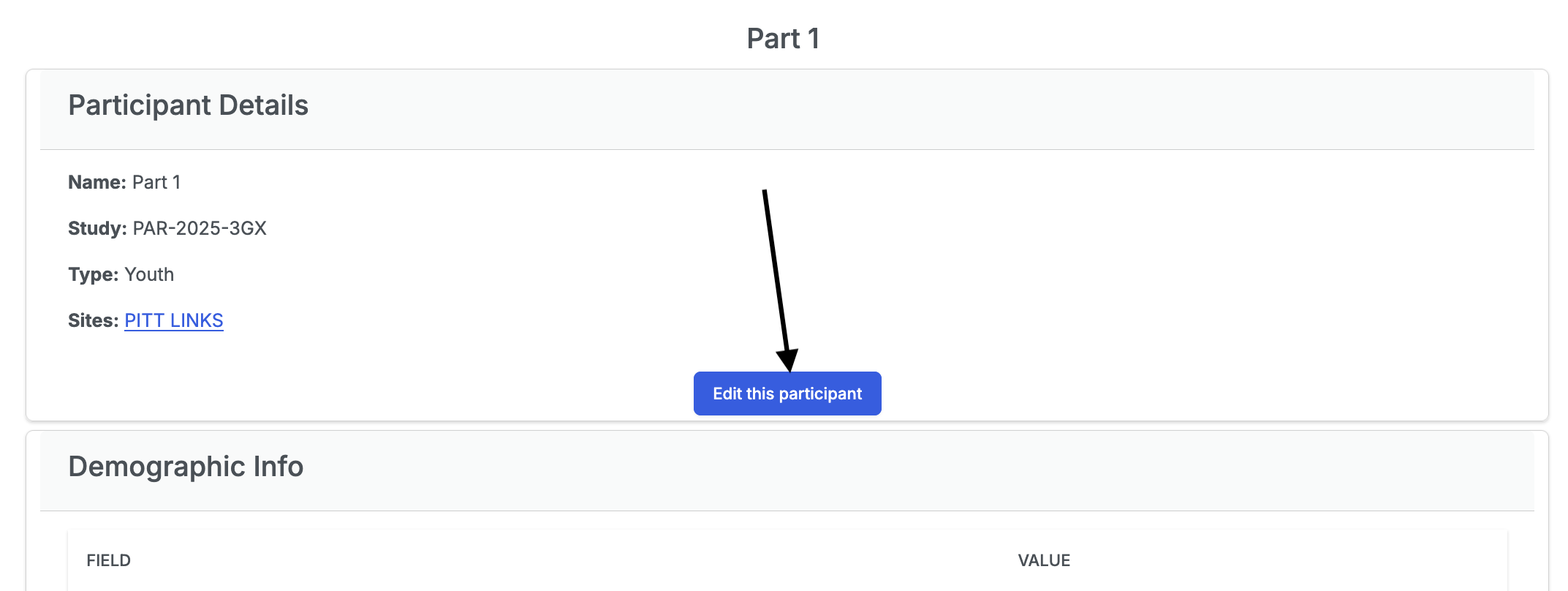
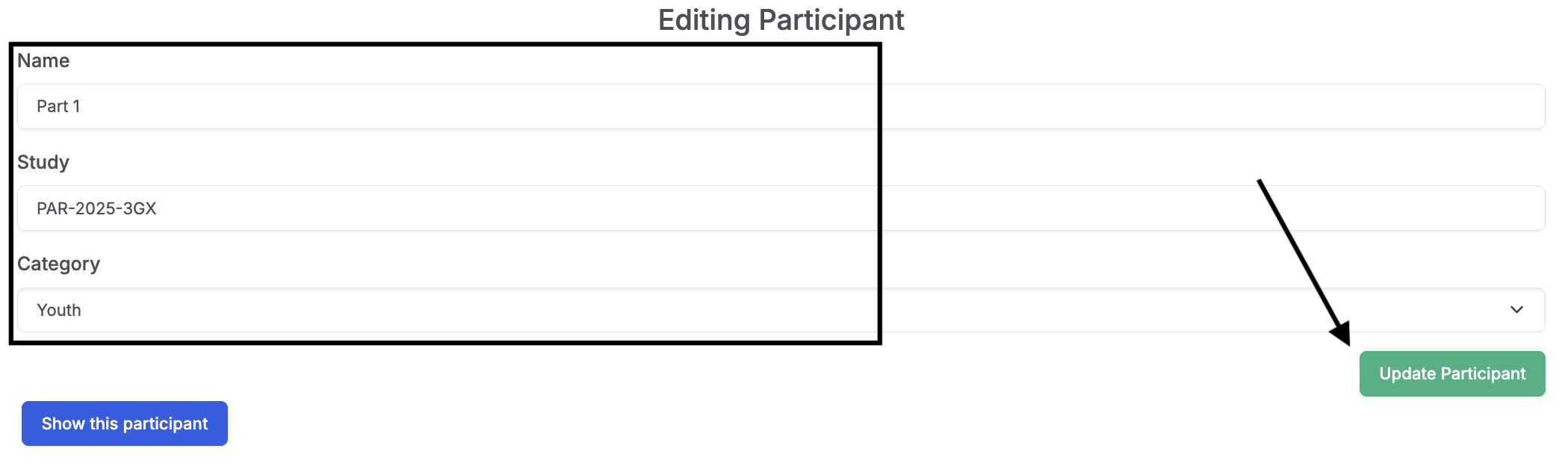
To edit a participant, click the Edit this participant button on the participant’s page. An extra attribute, Study Id, is included in the edit form. This is a unique code that is used to identify the participant. When done editing, click the Update Participant button.